
Why Doesn't My Mix
Sound Like That?
Load the record you're chasing next to your own mix and find out, in plain language, what's actually different between them. No grade. No advice. Just the gap.
One-time purchase — no subscription
- Day 1 $29.99 Gone
- Day 2 $33.99 Gone
- Day 3 $37.99 Gone
- Day 4 $41.99 Gone
- Day 5 $45.99 Gone
- Day 6 $49.99 Gone
- Day 7 $54.99 Today
- After $59.99 Regular
Launch week only. The price rises every day at 12:00 AM EDT for seven days, then settles at $59.99. Get in early, pay less — for good.
 HMD Compare My MixThis purchase
$59.99
HMD Compare My MixThis purchase
$59.99
 Bypass: One-Click Audio Plugin RemoverBonus — yours free
$29.99
Free
Bypass: One-Click Audio Plugin RemoverBonus — yours free
$29.99
Free


All 1 bonus items are added to your cart automatically and discounted to $0.00 at checkout.

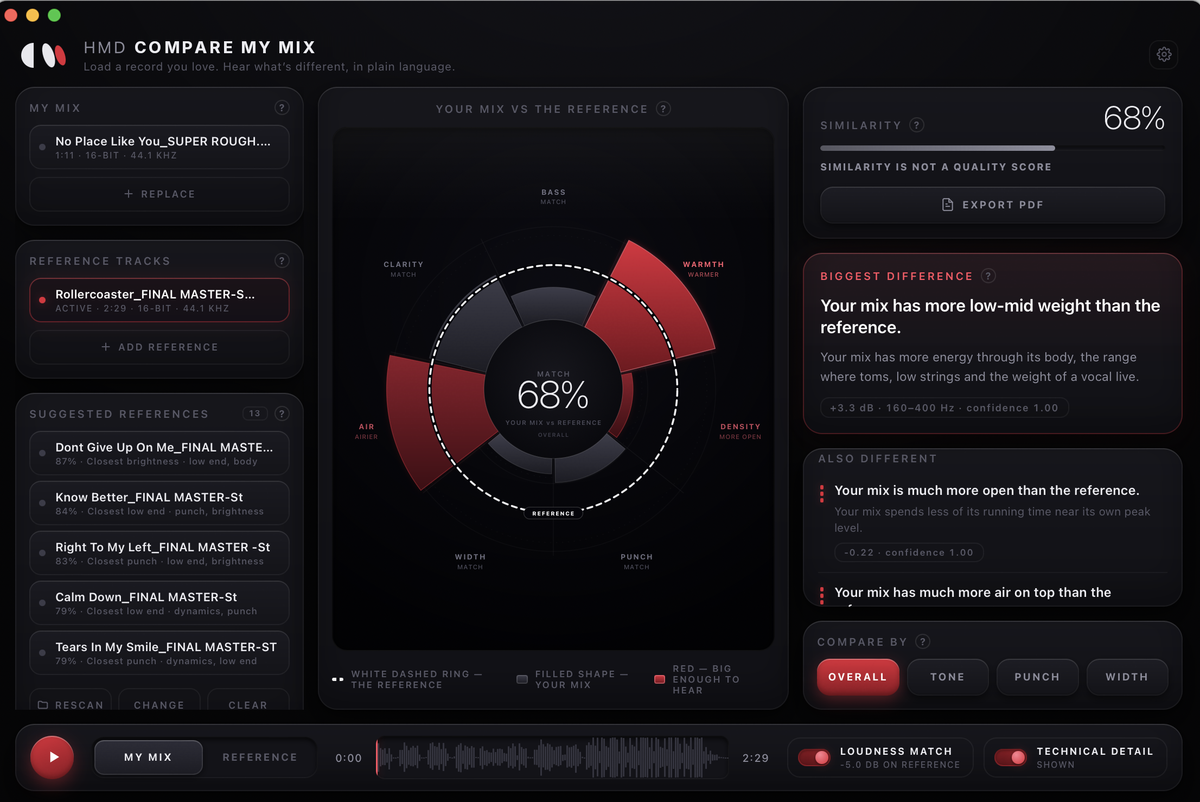
Load Two Files. Read the Difference.
Watch It Find the Gap
Seven Things It Measures. One Word Each.
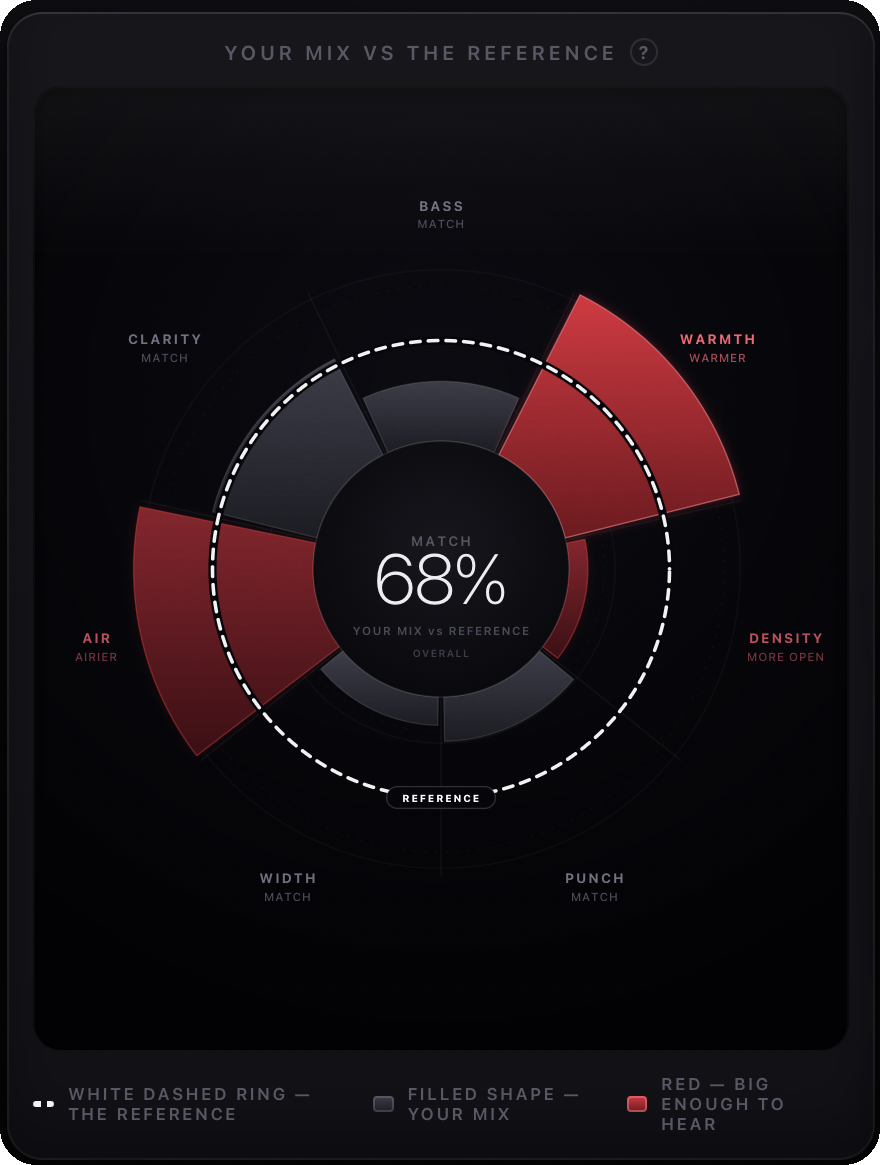
Under every label on the wheel is a single word saying which way your mix is leaning. Read it as a sentence: your mix is narrower.
Everything You Need to Close the Gap
You decide.
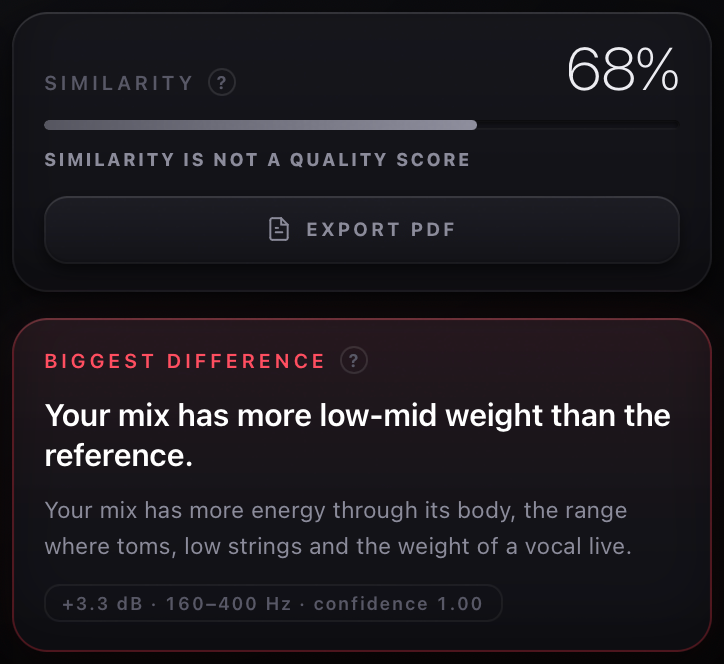
Compare My Mix will never tell you your mix is wrong, and it will never tell you what to reach for. Two records can differ enormously and both be finished — a ballad against a programmed-drums record isn't a mistake, it's two different songs.
So it describes the difference, honestly, and stops there. You already know how to fix a mix. This tells you where to look.
Measurement"Your mix has more low-mid weight than the reference." — always true. Never "too much low end."About Compare My Mix
Compare My Mix
Stop guessing what’s different.
You know the feeling: you pull up a reference record, switch back and forth with your mix, and you can hear that something is different. But figuring out exactly what can turn into an endless guessing game.
Compare My Mix was built to solve that.
Load your mix. Load the record you’re chasing. Compare My Mix analyzes both and tells you in plain language where they actually differ.
More bass. Less punch. Narrower stereo image. More low-mid weight. Smoother upper mids. Whatever the difference is, Compare My Mix measures it and puts it into words you can understand.
No grades. No advice. No “your mix is wrong.” It measures. You decide.
Behind the scenes, Compare My Mix compares balance, dynamics, punch, stereo image, loudness and more using real DSP running directly on your computer.
Your biggest differences are surfaced first, while areas that are already close are shown too — so you also know where you can stop working.
WHAT YOU GET
-
Plain-Language Mix Comparison — See exactly how your mix differs from your reference without having to interpret a wall of technical numbers.
-
The Difference Wheel — Instantly visualize Bass, Warmth, Density, Punch, Width, Air and Clarity against your reference.
-
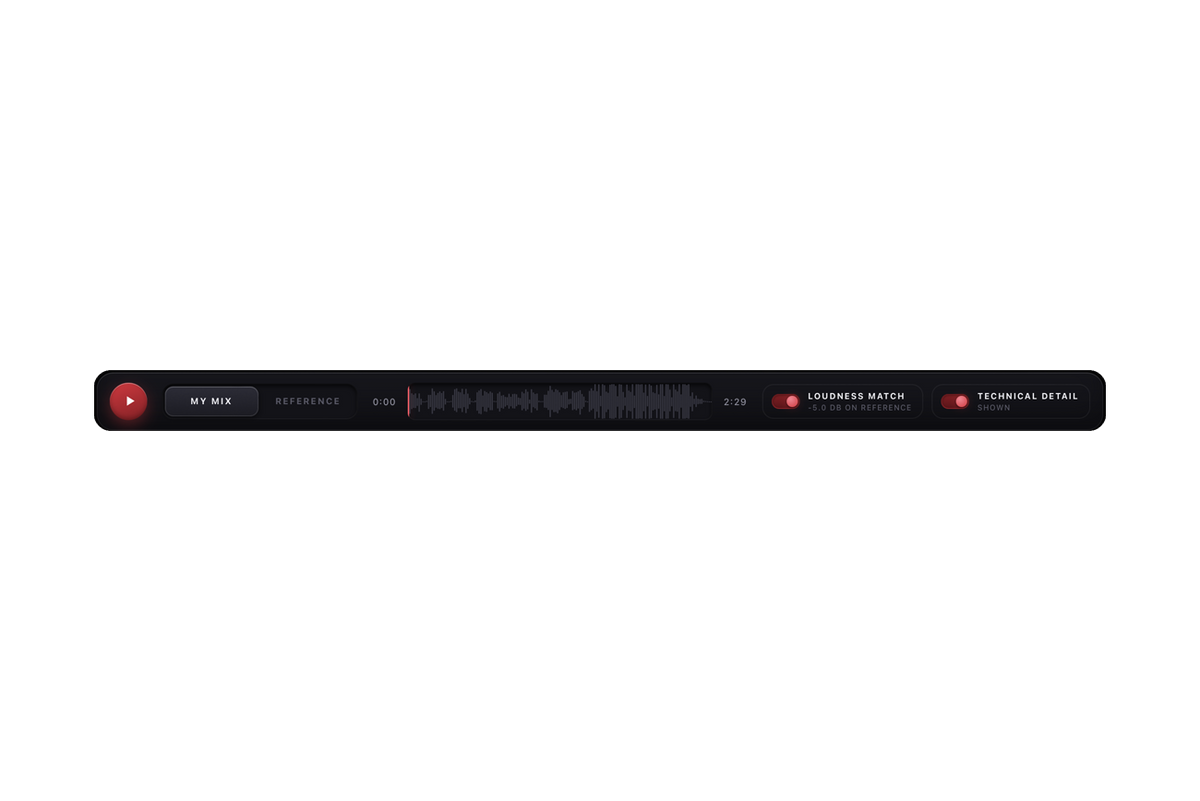
Automatic Loudness Matching — Match perceived level between your mix and reference so louder doesn’t automatically sound “better.”
-
Instant A/B Listening — Switch between your mix and reference at the exact same position while you listen.
-
Technical Detail When You Want It — Reveal the actual measurements behind every finding, including integrated LUFS and side-by-side technical data.
-
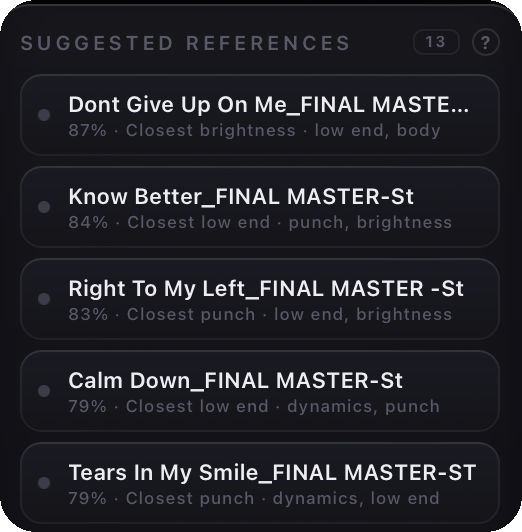
Your Own Reference Bank — Point Compare My Mix at your personal music library and it can analyze your records and show which ones are already closest to your current mix. Your music stays on your computer.
-
Automatic Saved Sessions — Your mix and reference pairings are saved automatically so you can jump right back in.
-
Export Comparisons to PDF — Export the Difference Wheel, findings and measurements into a clean report you can share with clients, collaborators or your team.
Compare My Mix supports WAV, AIFF, FLAC, MP3, M4A, AAC, ALAC, OGG, OPUS, CAF and MP4 — from rough bounces all the way to finished masters.
Available for macOS & Windows.
Hear the difference. See the difference. Decide what to do with it.
Compare My Mix doesn’t mix for you. It helps you understand your mix.